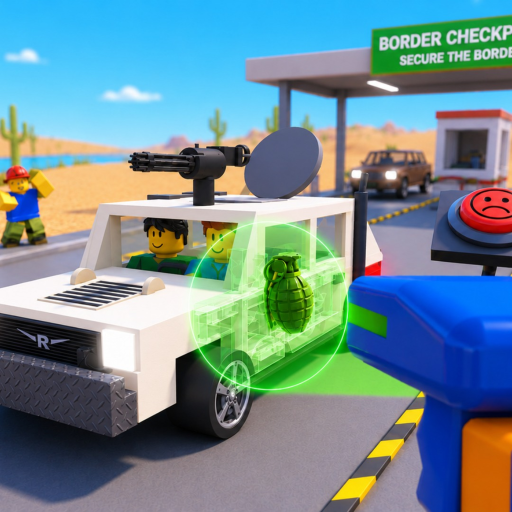
SecureTheBorder
Threat response

Secure the Border Threats Guide (2026)

Use a pause-and-check decision tree when illegal items, bribes, smugglers, or raiders change an ordinary vehicle inspection.

Stop before actingFour threat branchesUpdated 2026-08-10
Quick answer

Pause, name the signal, then inspect

A threat is not a reason to skip the border checks. Keep the vehicle stopped, identify which category appears, and use only the action the current screen explains.

Safety rule: never install an exploit, paste a script, or share account details to bypass a threat.
Branching steps

Resolve the signal without guessing

  1. 1

    Pause the vehicle

    Do not rush a vehicle through when the screen shows a threat signal. Keep the current inspection state visible.

  2. 2

    Name the signal

    Separate illegal items, a bribe, a smuggler, and a raider. The public description names these categories but not every outcome.

    Tip: write down the exact label before moving the vehicle.

  3. 3

    Return to visible checks

    Use X-ray/search, trunk, engine, and documents as the next observations instead of trusting a rumor or a copied script.

  4. 4

    Choose the safest available action

    Only take the action the current screen explains. If the result is unclear, leave the outcome unknown and ask the official game community through the link page.

No item list?

Keep the item type unknown and complete the visible check. Do not invent a drop, penalty, or reward.

A bribe appears?

Pause and read the current choice. The public description does not establish a safe universal answer.

A raider interrupts?

Use the response shown in the game, then record the changed behavior for a future update.

FAQ

Threat questions

What counts as a threat in this game?

The description names illegal items, bribes, smugglers, and raiders. It does not publish a complete response table, so keep the exact outcome tied to what the current server shows.

Should I accept a bribe to pass a vehicle?

Do not assume a reward or penalty. Pause, record the signal, and follow the visible in-game choice rather than a copied claim.

How do I tell a smuggler from a normal driver?

Use the named inspection actions and read the documents. The public description does not provide a full identity rule or numeric threshold.

Where do I report a changed threat behavior?

Use the official Roblox game and creator-community paths on the links page; include the update date and the exact screen you saw.

Inspection guide →

Return to the four named vehicle checks.

Checklist →

Track the signal and inspection actions.

Community links →

Check official Roblox and creator paths.

Review every threat guide